The six screens that stop a closed test
Each one has a different cause. Resending the link fixes none of them.
Testers who cannot get in usually say nothing. When they do speak up it is "it doesn't work", which tells you nothing. The screens, though, all look different.
These are the screens I hit running more than a hundred closed tests. Almost every time the link was fine and something on the blocked side was not. Show these six and ask which one they saw, and the cause separates itself.
1. Group — "Content unavailable"

The group is private, or the account signed into the browser is not the one signed into the Play Store on the phone. That is what "switch accounts" on the page means.
- Open the same link with the account signed into your Play Store.
- If nothing changes, the app owner has to fix the group: Who can search for the group → Anyone on the web, Who can join the group → Anyone can ask.
- It always looks fine on the owner's screen. They will never find this alone.
Where those settings live: Set up a Google Group for testers.
2. Opt-in — "App not available"
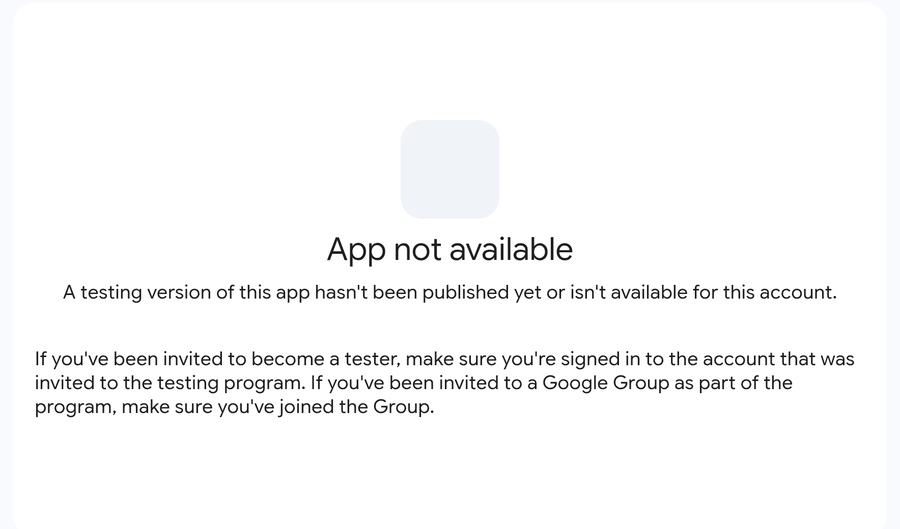
One of four things.
- Wrong account. It has to be the account signed into the phone's Play Store.
- The group comes first. With a group, opting in before joining is blocked.
- No testing version yet. The build on the track has to pass review before the link opens.
- You only changed the tester list. Switching from an email list to a Google Group and hitting Save shows this same screen even when the track already has a published build. The change has to go through review with the track before testers see it.
3. Store — "Item not found"
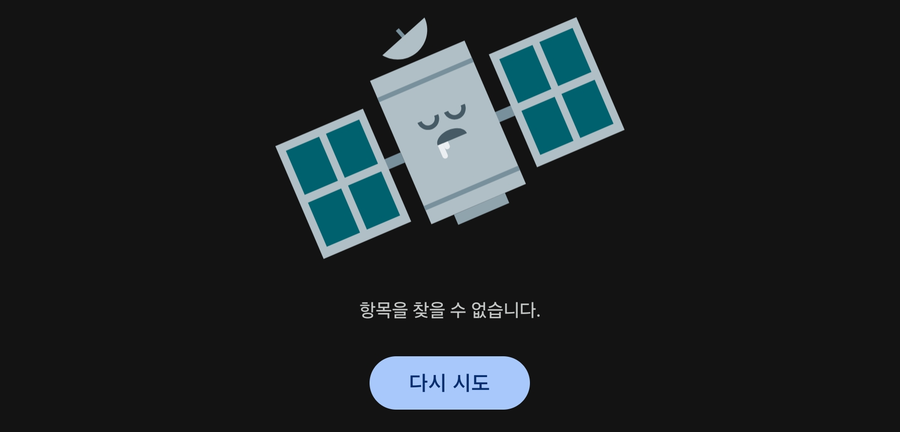
After opting in the store can take about 30 minutes to catch up. Most of the time waiting is the whole fix. If it is the same after 30 minutes, it is a country restriction or the wrong account — see Open your closed test to all countries.
4. Store — "not available in your country"
It looks like #3 but the cause is the opposite. #3 opens if you wait; this one never will. Opting in again does nothing, and neither does switching accounts. It is the only screen where the tester can do nothing at all.
Only the app owner can fix it, by adding that country in Play Console. Open your closed test to all countries covers where that setting lives.
If you are the tester, say so instead of waiting. Otherwise the owner never learns their app is unavailable where you are — from their side, someone who vanished for a country restriction looks exactly like someone who changed their mind.
- On ACT Party: ⋮ → "Not available in my country" on the trade card. No karma hit, and the owner is told which country could not install it.
- If the trade is already running, use ⋮ → "End by agreement" and give the reason. When they accept, both sides close. Plain "Drop" only ends yours — they keep opening your app for 14 days knowing nothing.
5. Console — "Your app requires more testing"
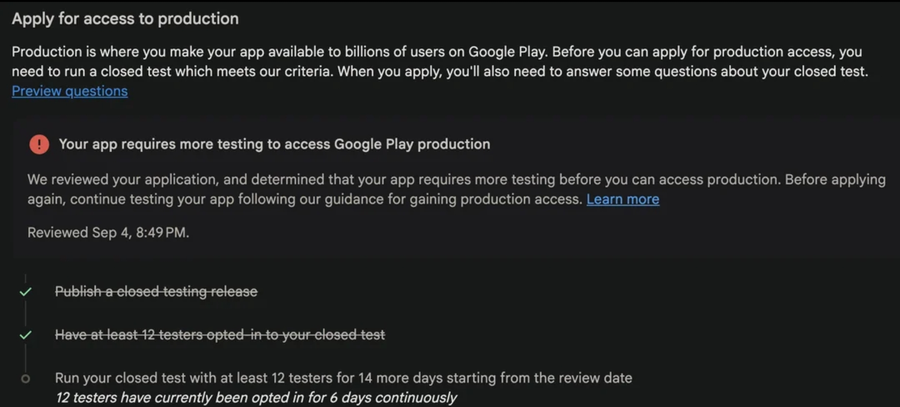
This one is not for testers — the app owner sees it. The line that matters is the last one: 12 testers for 14 more days starting from the review date. Days you collected before applying do not carry over. Applying early makes you later.
6. The rejection email — two reasons
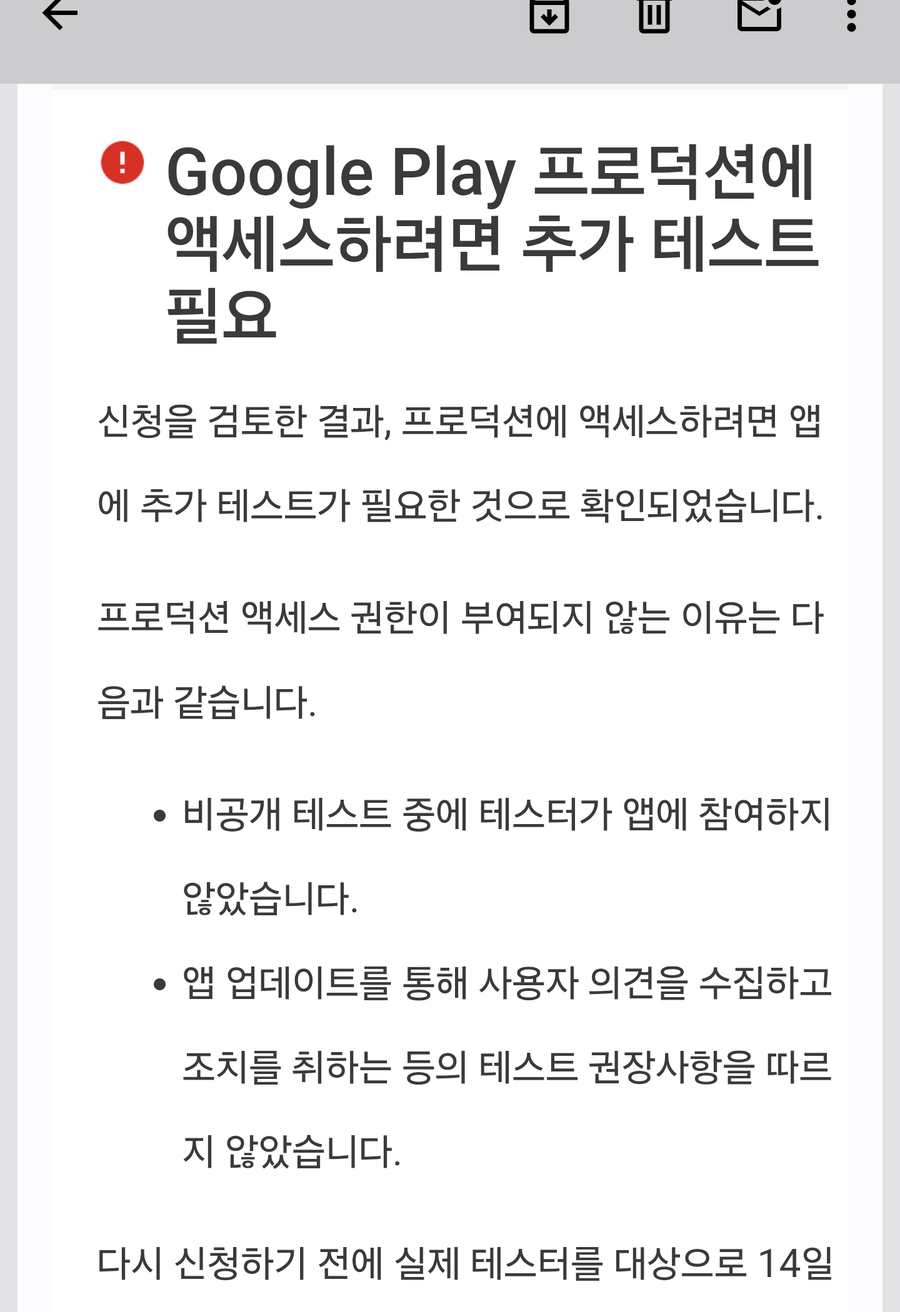
- Testers did not engage with the app. Opt-ins that never open it count against you.
- You did not follow testing guidance — collecting feedback and acting on it through app updates. No build shipped during the 14 days shows up here.
So you need a record of days the app was actually opened and updates you shipped from feedback. Both are numbers the questionnaire asks for — the nine production questions.
Screens are from September 2026. Google rewords these often, so the wording may differ slightly.